ICS360.Fusion

End-to-end software designed to streamline your workflows and enhance your projects by unlocking and sharing available data.

Seamless Data Integration for Smart Manufacturing

seamless data. smarter decisions.

ICS360.Fusion connects your factory by moving, transforming, and visualizing data across all devices and systems. With simple visual data flows, it collects information from sources such as PLCs, files, and databases, then delivers it to targets including other PLCs, logs, databases, email, or SMS. Customizable dashboards display nearly real-time insights on desktops, mobile devices, or Andon boards, giving your team the visibility and control needed to improve efficiency and performance.

Product Information

ICS360.Fusion

ICS360.Fusion provides users the ability to connect to OT devices, enterprise resources, and cloud service providers such as Amazon WebServices (AWS) or Microsoft Azure. The uses for ICS360.Fusion are countless and customers who deploy the product often report that they use Fusion for much more than originally intended due to it’s flexibility and scalability.

Click the button below to download a fully functional version of ICS360.Fusion for comprehensive evaluation, testing, and development purposes. Explore the advanced features and capabilities of our software to streamline your workflow and enhance your projects.

Unified Data Access

Across Devices, Assets, and Services

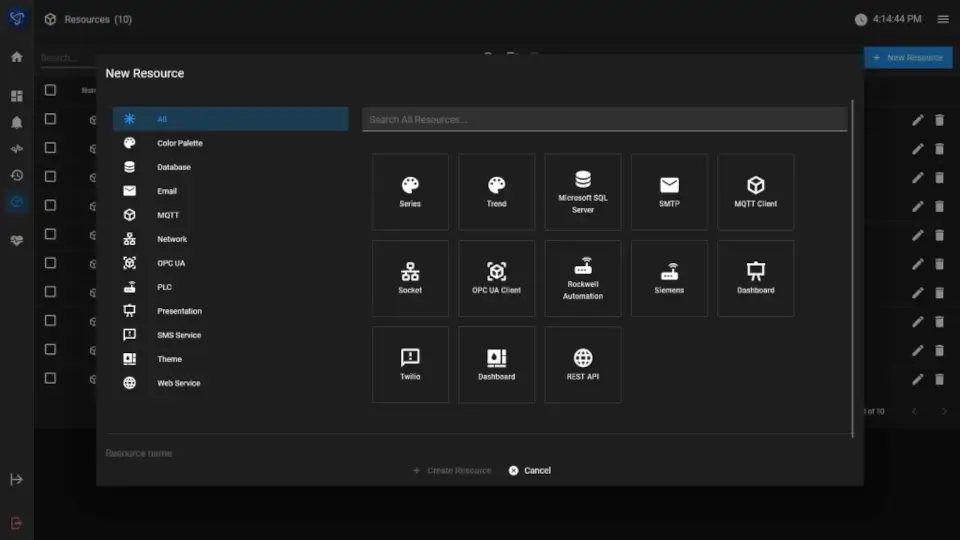
Connect to numerous resources from plant floor devices, enterprise assets, and cloud services

Everything at Your Fingertips

ICS360.Fusion Flows and Dashboards

All of these resources are available to ICS360.Fusion
flows and dashboards

PLC Resource

Easy Tag Management
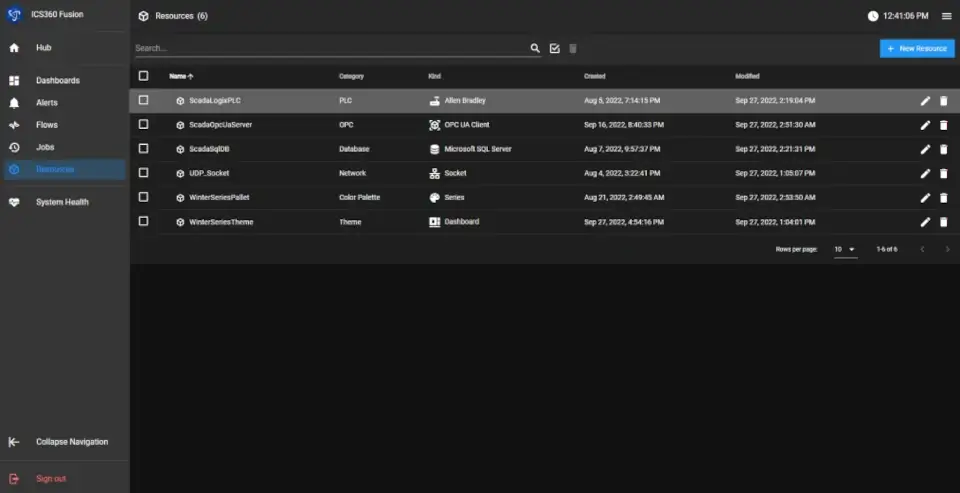
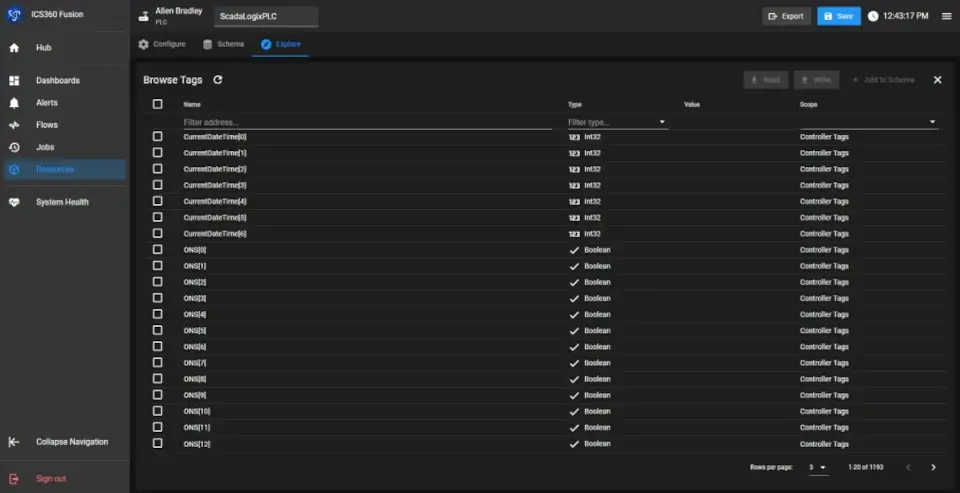
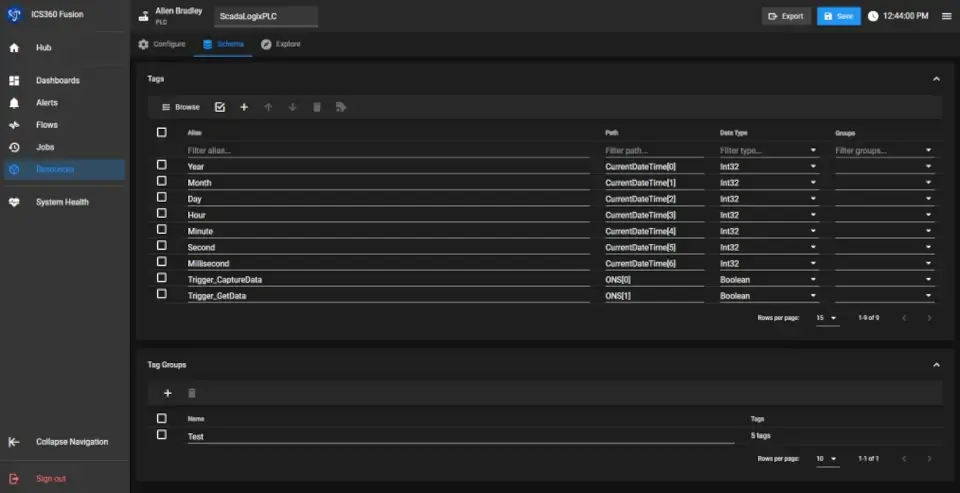
Example: Browse and create a PLC resource to read/write tags in ICS360.Fusion

Effortless Tag Management

Across PLC Types
Decide what tags to use in ICS360.Fusion from the potentially thousands of tags in the PLC and abstract them from the PLC type so ICS360.Fusion doesn’t care if they are from a Rockwell PLC or a Siemens PLC (for example).

Versatile Flows

Automate Your Tasks
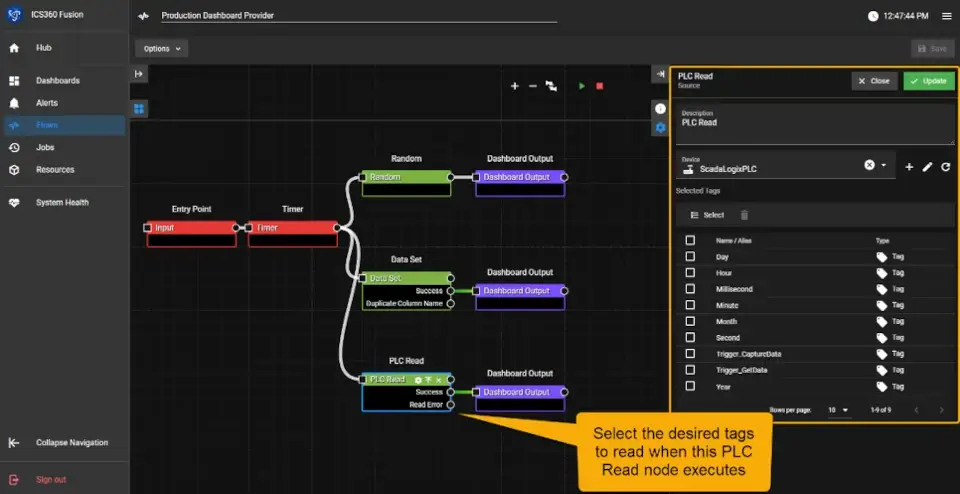
Create Flows to perform a wide variety of tasks, including, but not limited to read/write a PLC, read/write a database, read/write Microsoft Excel files, interact with a REST API, send emails and texts, etc.

Real-time Querying

With Enterprise Resources
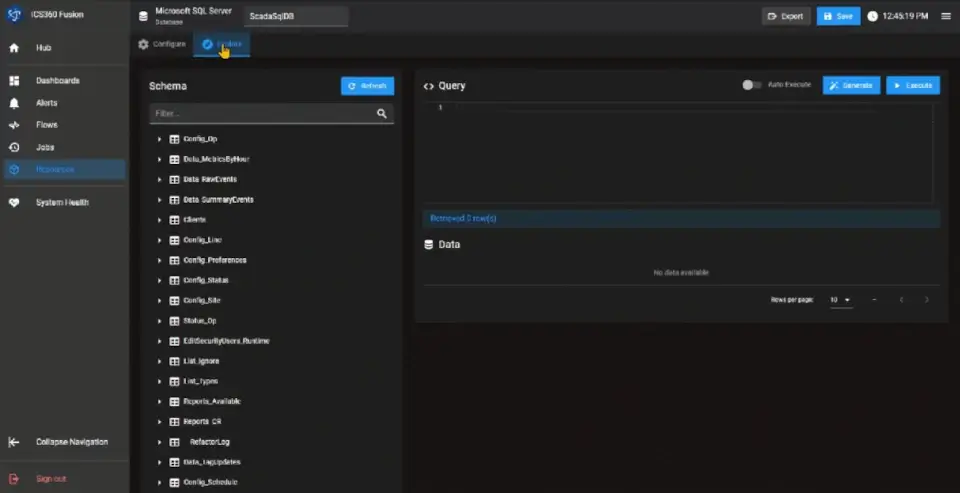
Create connections to enterprise resources as well (Example: SQL Server) and read/write test queries in real time with a graphical query editor

Create Intelligent Flows

Based on Events, Triggers, and Time
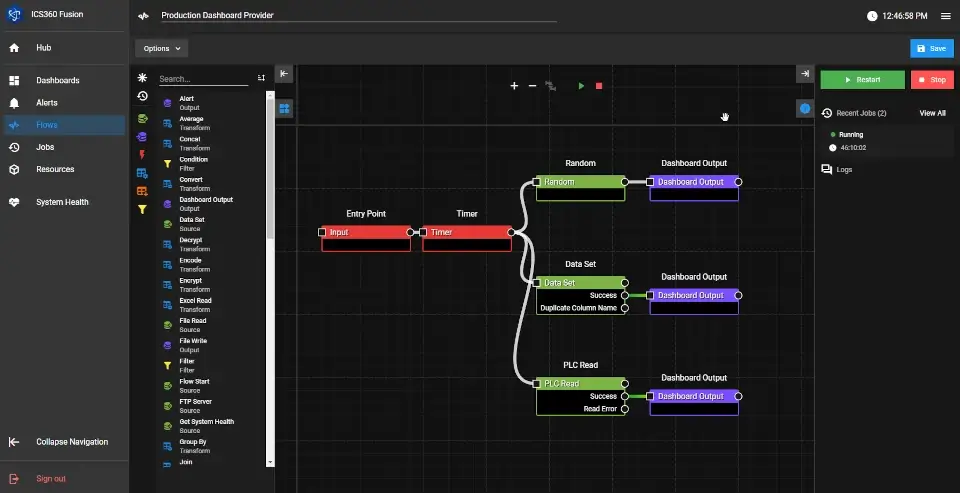
Make decisions based upon other events, triggers, time, or just pass data through from a PLC to a Database (for example)

Query Databases Easily

With the Graphical Query Builder
Query a database for information with an easy-to-use graphical query builder

Intuitive Dashboards

Easily Visualize Your Data
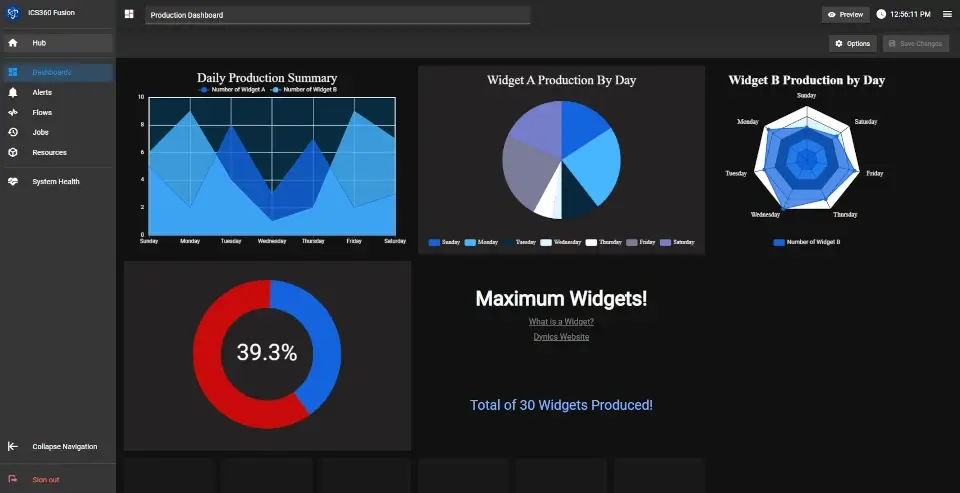
Create visualization and easy to use dashboards

Interactive Editing

Preview Your Widgets
Editing widgets that respond during editing to show the user how they will look when saved