

Industrial Firewall and Asset Detection in the ICS360.Defender Security Platform
A built-in OT firewall passes the traffic your PLCs and HMIs need. Every license finds and monitors network devices, and select licenses add secure remote access and deep packet inspection. The software comes preloaded on rugged plant-floor units DYNICS calls industrial control system security appliances.
Founded in 1997, DYNICS is based in Ann Arbor, Michigan.

Allowed and Blocked Controller Commands
Remote access and compromised credentials can open a path to the control network. So can vendor connections, laptops and links from corporate IT.
Allowed in This Example
- Read holding registersModbus TCP
- ReadDNP3
- Read variableS7
Blocked in This Example
- Write multiple registersModbus TCP
- Operate and direct operateDNP3
- PLC stopS7 Classic
Command-level rules need Lite with DPI or Pro. Inside the edge, the OT SDN Controller adds segmentation within DYNICS OT cybersecurity.
See the Network, Then Control It
DYNICS puts visibility before enforcement, because you can't control what you can't see.
See
Saved Device Reference
Scans compare to a saved list and show new and lost devices.
Serial and Firmware Tracking
Asset monitoring tracks devices by details such as serial number and firmware.
Many Units, One Console
ICS360.DCC, the Cybersecurity Console, manages and monitors multiple Defenders. It is sold separately.
Control
Rules That Read Commands
With Lite with DPI or Pro, rules match the command itself.
Rules Learned From Traffic
On those licenses, DPI rules can come from your packet capture.
Supplier Access Control
Remote and higher licenses add VPN access and a captive portal.
Industrial Control System Firewall Rules
DPI rules look inside the industrial protocol and match the fields a controller acts on, so an ICS firewall policy can work command by command.
6
Industrial protocols inspected
Protocol inspection comes with the Lite with DPI and Pro licenses. NAT and Remote run the stateful firewall.
| Protocol | What a rule can match |
|---|---|
| EtherNet/IP (CIP)Used with EtherNet/IP devices | CIP service and request path segments |
| Modbus TCPUsed with Modbus TCP-capable devices | Function code, optional register or coil address |
| DNP3Used with electric utility and SCADA devices | Source, destination and application function |
| BACnetUsed with building automation and control devices | Network, address, message type and function |
| S7 ClassicUsed with S7 Classic engineering environments | Message type and function, such as read variable |
| S7 PlusUsed with S7 Plus engineering environments | Type, opcode and function, such as get variable |
A Look Inside the Software
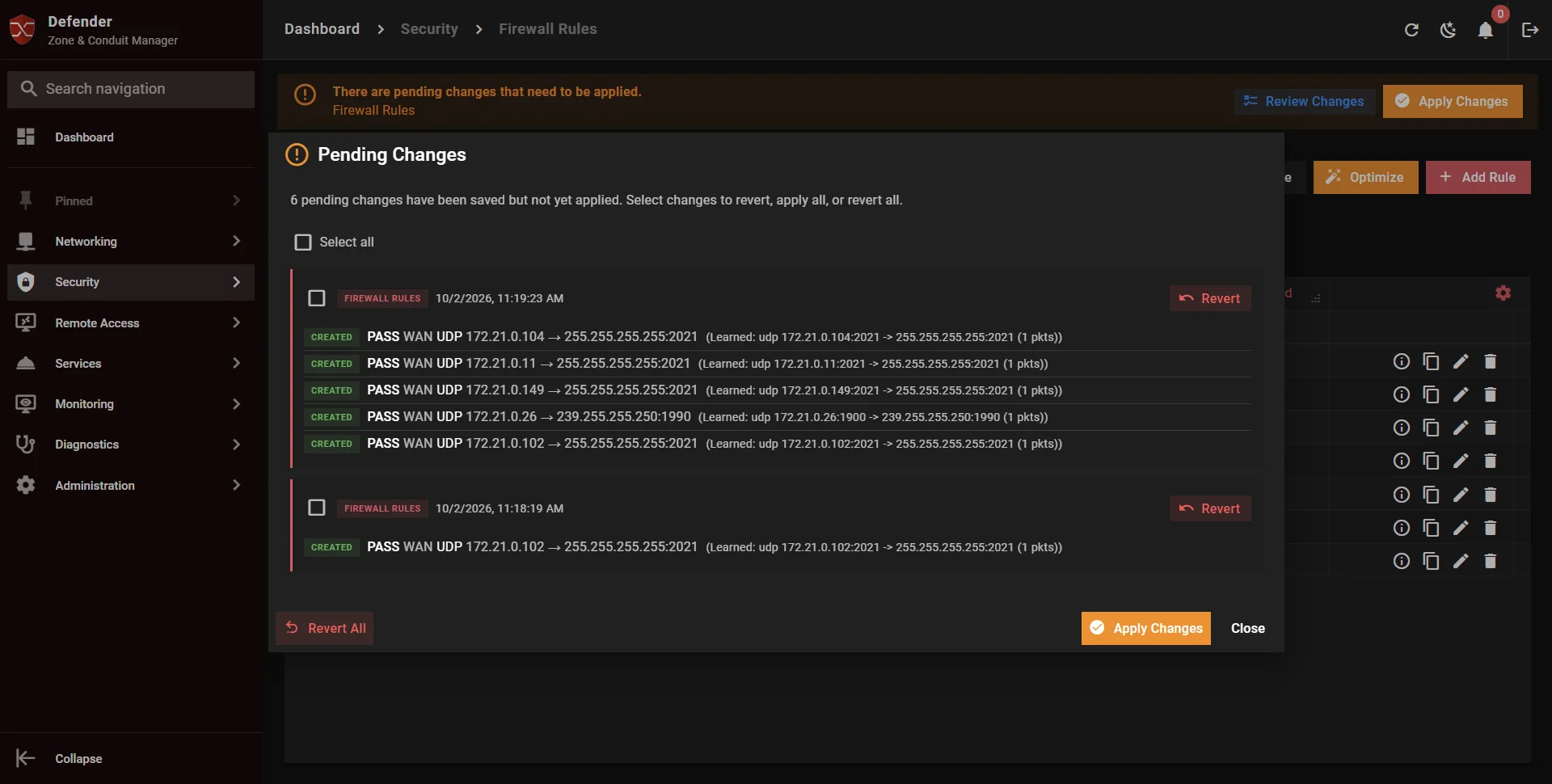
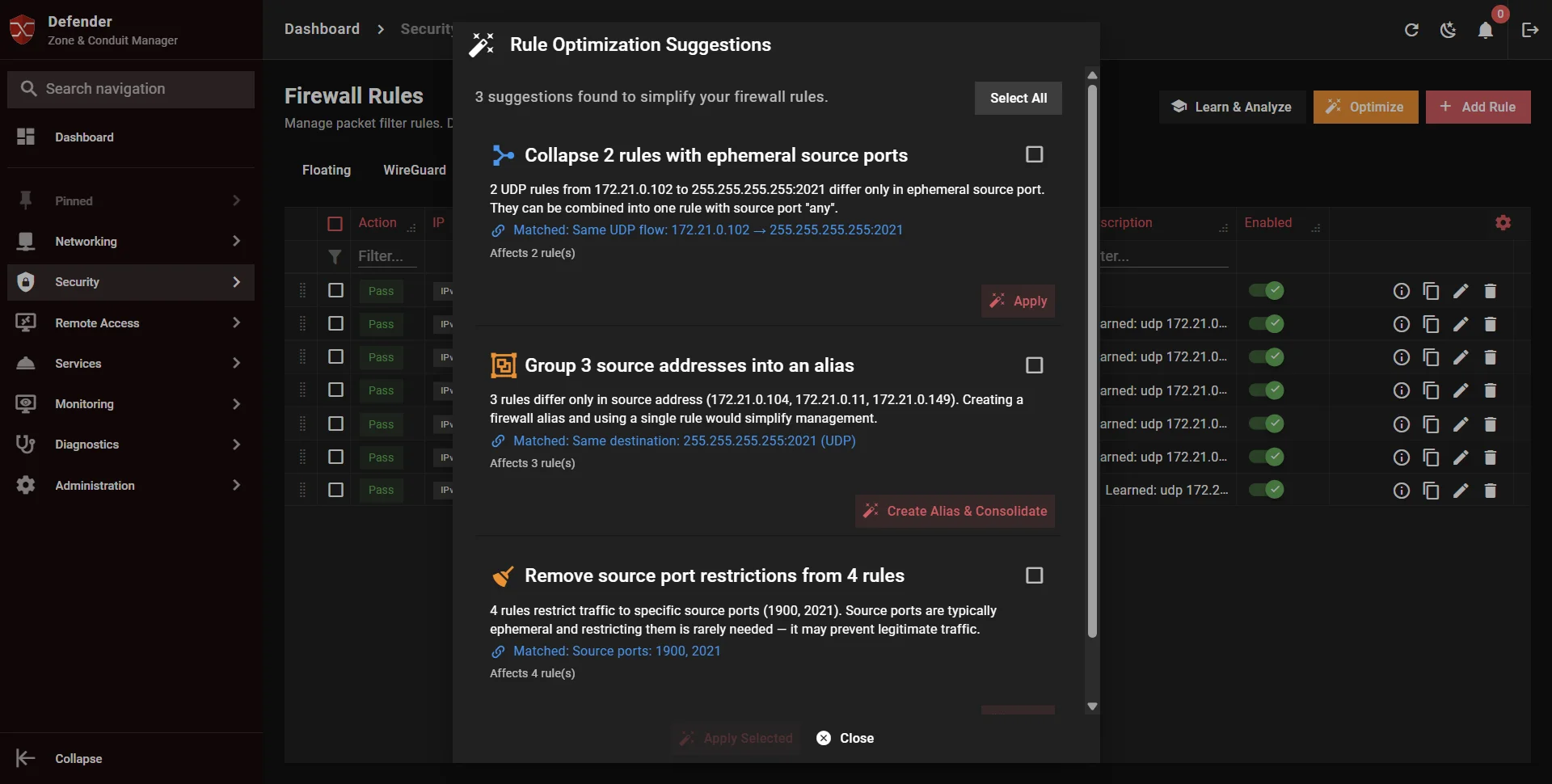
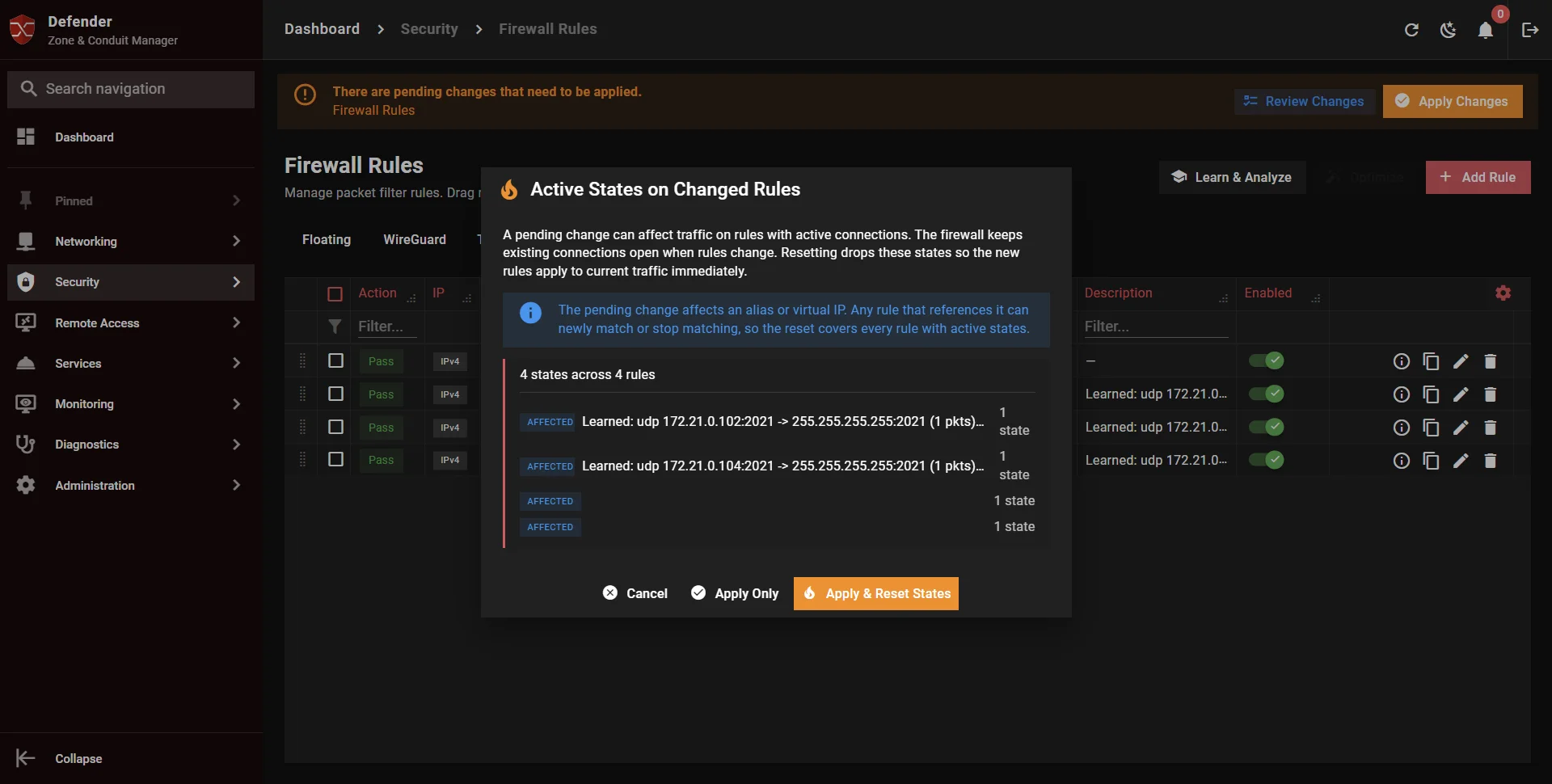
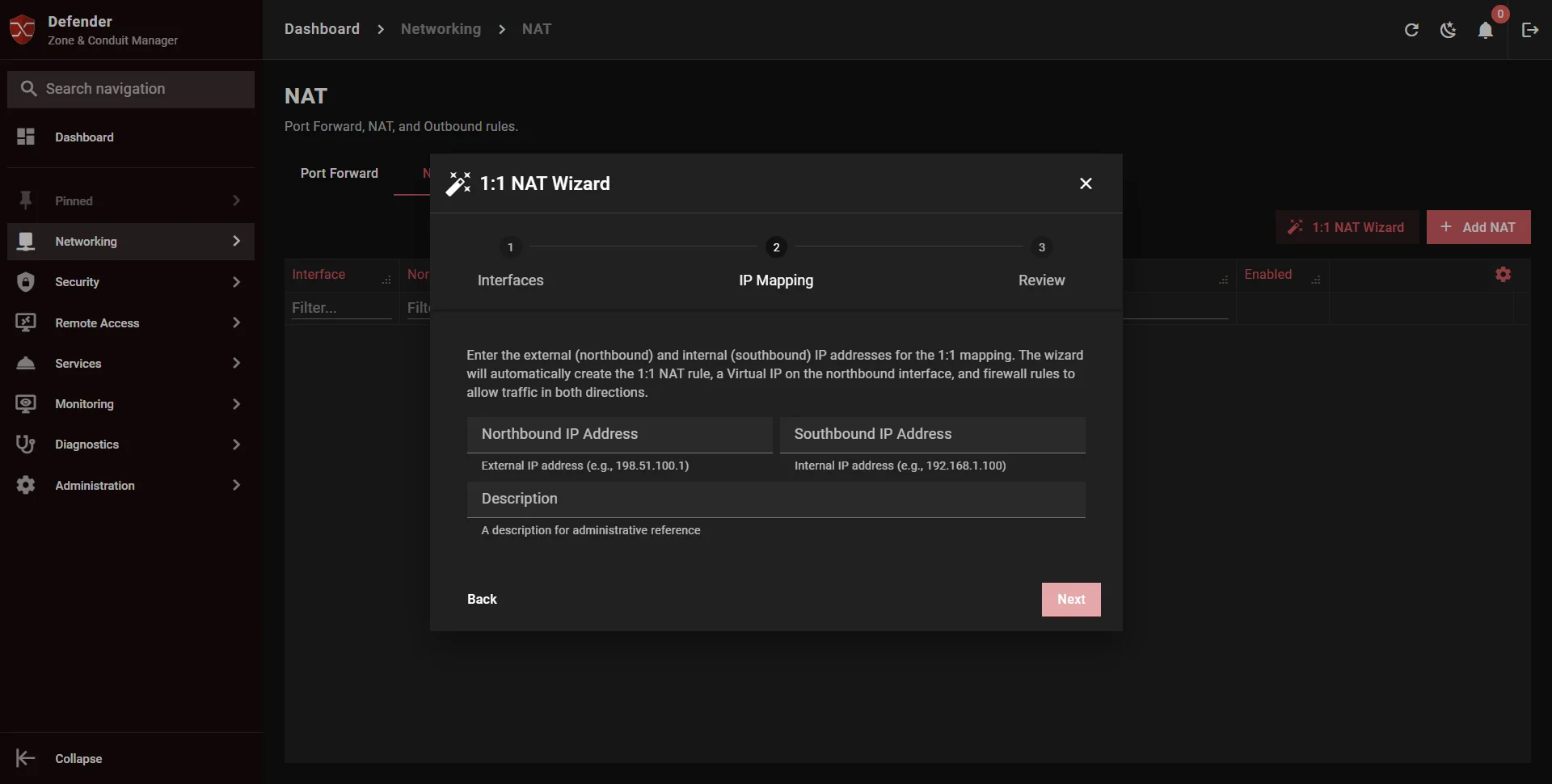
You run it on a working plant. DYNICS built its interface to be easy to navigate, so you can review changes, simplify rules and set up NAT in three steps.
The screens shown here come from ICS360.Defender 3.0, the brand new release of the software.
From Packet Capture to Live Rules
- 01
Capture
Record the traffic your line already sends.
- 02
Learn
Lite with DPI or Pro generates DPI rules from it.
- 03
Check
Confirm required traffic passes. A block profile blocks what the capture missed, so make it representative.
- 04
Apply
Review pending changes, apply them, and existing connections stay open.
Explore recommended hardware options and see how traffic learning can accelerate ICS360.Defender deployment.
Compare Defender HardwareChoose Your Rugged Firewall Hardware
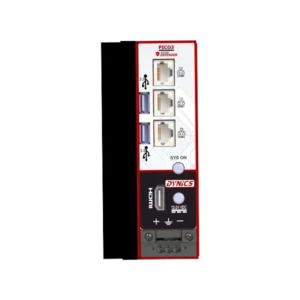
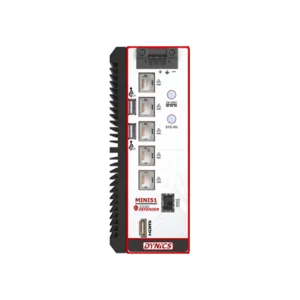
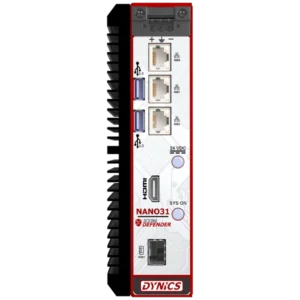
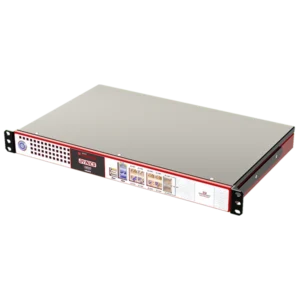
Every platform comes preloaded with ICS360.Defender. The ideal choice depends on your enclosure requirements, port count, network capacity, and power needs.
Fanless DIN Rail
PICO, NANO and MINI, no moving parts, IP20, 24VDC power.
1U Platform
100 to 240VAC or 24VDC, standard or high-performance models.
IP65 Sealed
Sealed IP65 chassis, DC power, three 1Gb X-coded M12 ports.
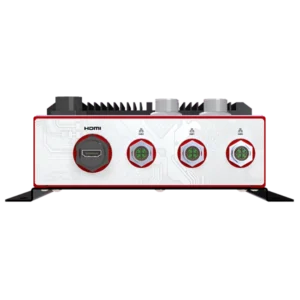
Match a unit to your line in three steps, from ports and power to license.
Configure Your DefenderFour Licenses From NAT to Pro
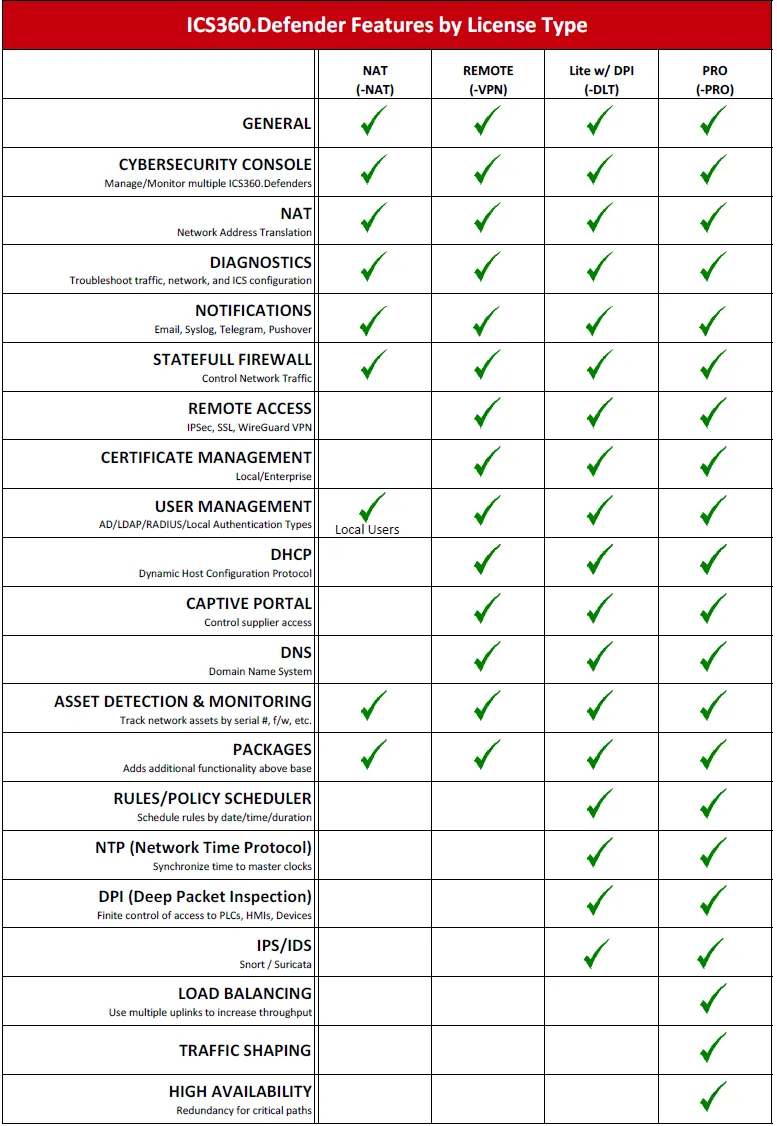
Every license includes the stateful firewall and NAT. Asset detection and monitoring, notifications and support for the Cybersecurity Console come with each too. ICS360.DCC, the console itself, is sold separately.
NAT
The base tier, with the shared set every license carries.
Remote
Adds IPsec, SSL or WireGuard VPN and a captive portal.
Lite with DPI
Adds deep packet inspection and IPS/IDS to the Remote features.
Pro
Adds load balancing, traffic shaping and high availability.
Questions About ICS360.Defender
What is an OT firewall?
An OT firewall sits at the edge of an operational technology (OT) network, in front of PLCs and HMIs, and controls which communications reach them. DYNICS holds that it should deny by default. Every ICS360.Defender license includes a stateful firewall, and Lite with DPI and Pro add deep packet inspection.
Which industrial protocols does ICS360.Defender inspect?
ICS360.Defender inspects six industrial protocols on the Lite with DPI or Pro license. The list covers EtherNet/IP (CIP), Modbus TCP and DNP3. It also covers BACnet, S7 Classic and S7 Plus. Each protocol has its own rule fields, such as a Modbus TCP function code.
How is an OT firewall different from an IT firewall?
On ICS360.Defender, the difference shows in two rule types. A standard firewall rule matches the protocol, the source and destination, and their ports. A DPI rule, available with Lite with DPI or Pro, also matches the command inside the traffic, such as a CIP service or a DNP3 application function.
What does ICS360.Defender do besides firewalling?
Every license detects your network assets, shows new and lost devices and sends notifications. Remote, Lite with DPI and Pro add VPN remote access and a captive portal for supplier access. Lite with DPI and Pro add deep packet inspection and IPS/IDS. Pro adds load balancing and high availability. ICS360.DCC, the Cybersecurity Console, is sold separately and manages multiple Defenders. It fits purely OT or OT/IT convergent networks.
Does ICS360.Defender disrupt production?
You review firewall rule changes as pending and apply them when you choose. Existing connections stay open when rules change. Resetting states drops them, as a separate step. Learned DPI rules on Lite with DPI or Pro start from your captured traffic. With the default action set to block, traffic the capture did not record is blocked. Capture representative traffic and validate the profile before deployment. The outcome rests on the rules you apply.
DYNICS engineers and manufactures in Michigan, so questions go straight to its engineering and manufacturing personnel. Tell them about your controllers, protocols and supplier connections.